

Logs
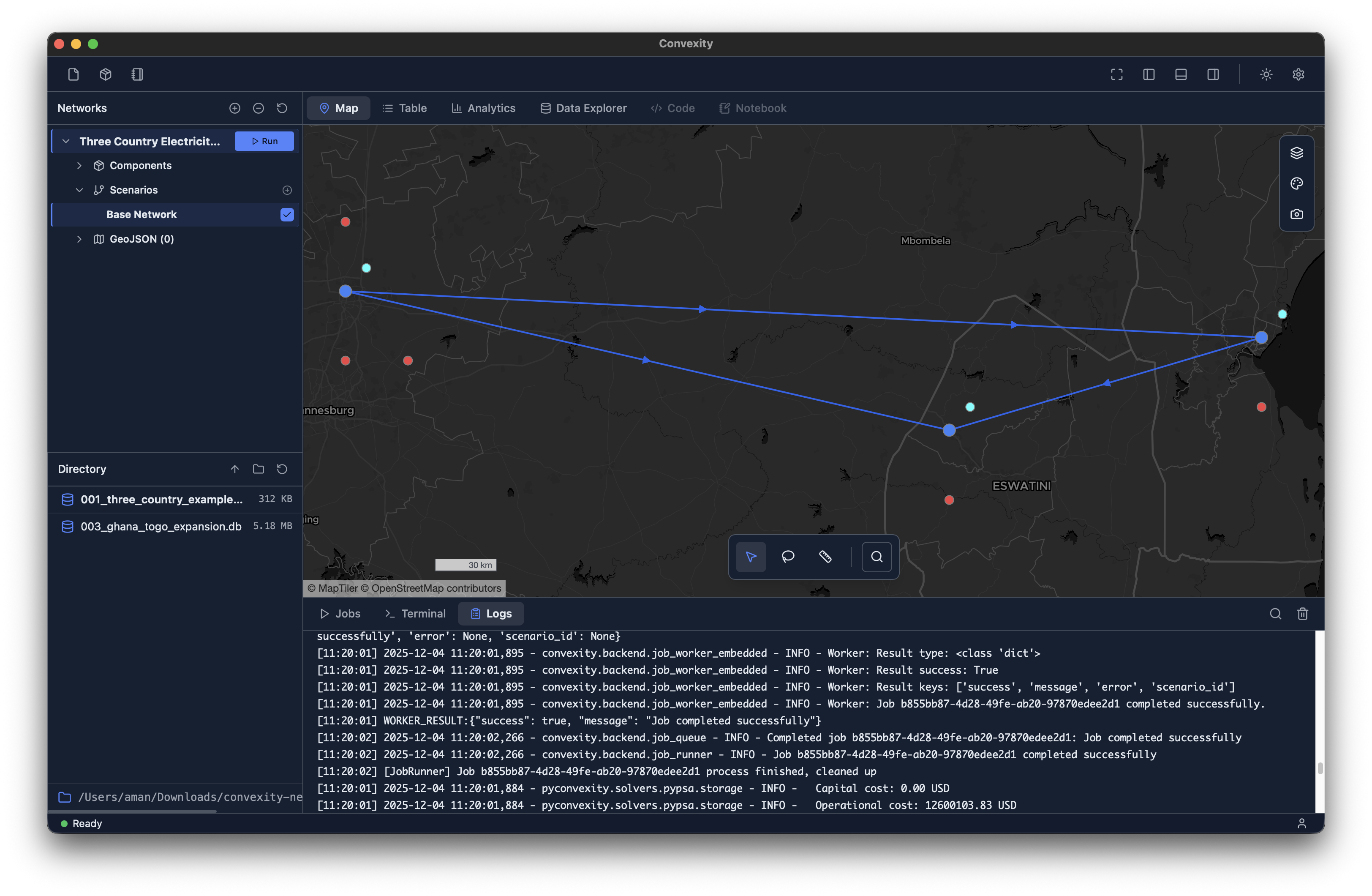
The Logs tab is part of the utilities panel located in the bottom section of the main interface (see image above). It can be shown or hidden using the bottom-panel button in the top-right of the toolbar.
The logs panel displays backend logs generated during model execution and other operations. This provides real-time visibility into what's happening under the hood as Convexity processes your models.
Use Cases
- Debugging: When something doesn't work as expected, the logs can help identify where issues occurred in the execution pipeline
- Progress Monitoring: Track detailed progress of long-running operations beyond what's shown in the Jobs Manager
- Support & Troubleshooting: If you encounter issues and need to contact support, you can copy and send us the relevant logs. This helps us reproduce errors and diagnose problems more effectively
The logs are timestamped and include information about job execution, file operations, solver output, and any warnings or errors that occur during operation.