

Network settings
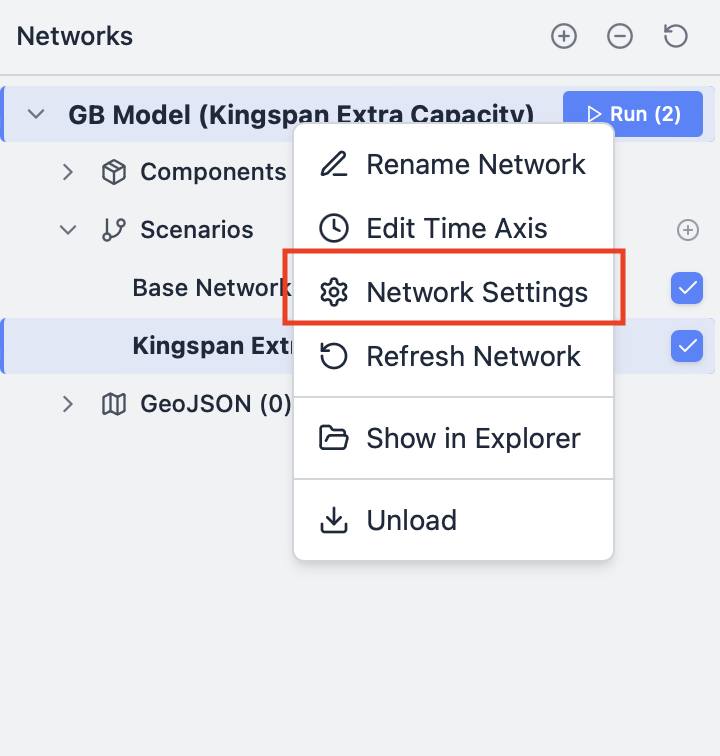
Network-level configurations
Unmet load
By default, all models instantiated in Convexity allow for Unmet Load (i.e., moments where your model's supply cannot meet the demand curves set). This setting prevents infeasible model runs, where your model cannot solve and throws back errors. When this setting is enabled, in the backend a high-cost backstop generator is added to track and serve any unserved demands. Due to the high-cost of the backstop, you may see very high capital and operational costs in models that have unmet loads.
Cost parameters
Default currency
Under the Cost tab, you can set the default currency of the model (e.g., £, $, GBP, USD, etc.). This has no impact on your model, but rather controls the currency that you will see across tables, charts and statistics.
Warning
Convexity does not do any automatic conversions of currency. Please ensure that all costs in your model are consistent. This is under the control of the user.
Discount rate
If your model is multi-year (i.e., has more than one year), you can set an annualised discount rate for the model, which is used for multi-period capacity expansion planning (0.01 = 1%).
For example, let's say you have a model that starts in 2025 and runs to 2050, and you have a generator that can be built in 2040 with a capital cost set to $100. The model will discount this cost back to the start year (2025) using the following present value formula:
Where:
- PV = Present Value (discounted cost at the start year)
- FV = Future Value (the capital cost at the time of construction)
- r = Annual discount rate
- n = Number of years from the start year to when the cost occurs
Using the example above with a discount rate of 5% (r = 0.05), the generator built in 2040 (15 years after the start year) would have a discounted cost of:
This means the $100 capital cost in 2040 is equivalent to $48.10 in present value terms at the start of the model (2025).
Timezone offset
Convexity includes access to an API service called Renewables Vision to fetch capacity factors for wind and solar assets anywhere in the world. By default, Renewables Vision provides data in Coordinated Universal Time (UTC) format. If your model uses a timezone that differs from UTC, the timezone offset parameter allows you to align the data accordingly. You can enter an integer value between -24 and 24 to ensure API weather data peaks at local noon instead of UTC noon.
Solver settings
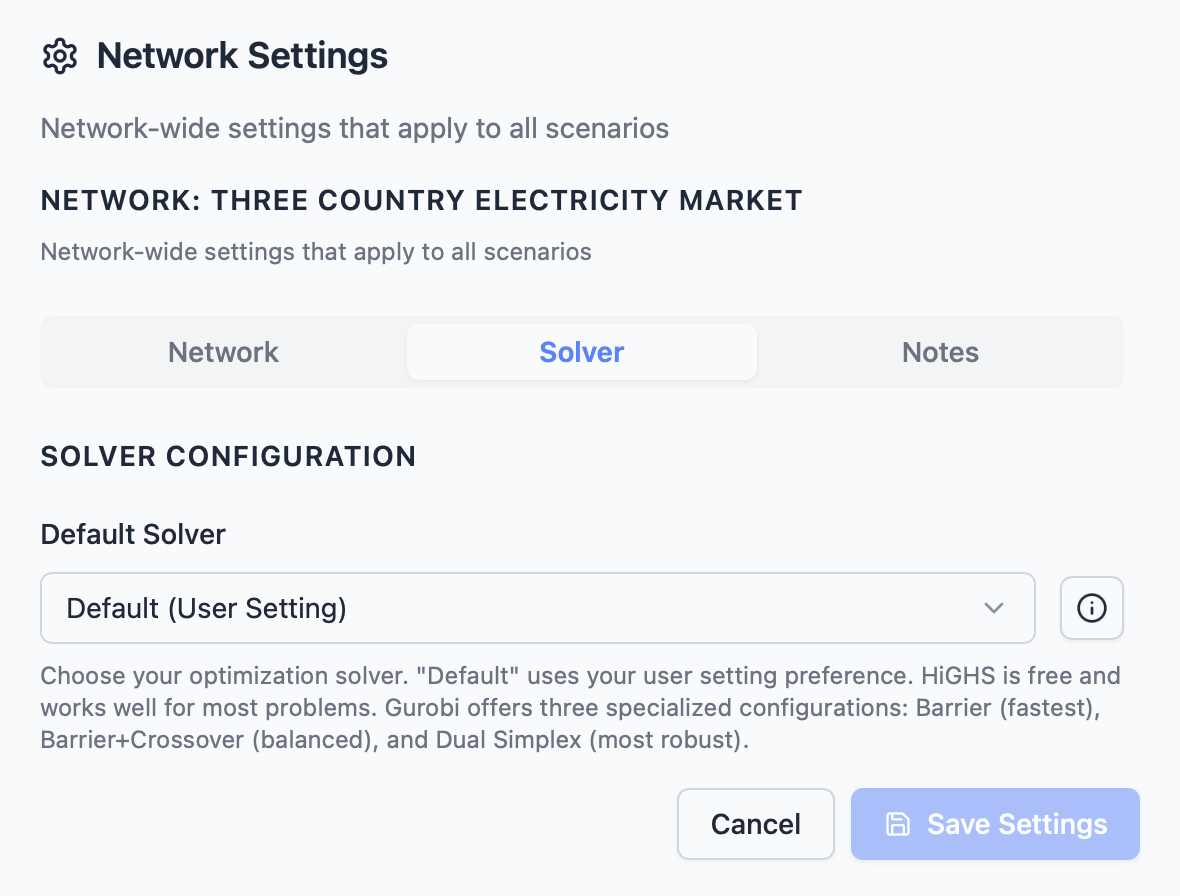
Under the Solver tab of the network settings, you can set the default solver to use for a specific model. Note that this will override the application-level settings that you can set via the toolbar.
By default, the solver is set based on the application-level settings, where the default solver is HiGHS, which is the free and open-source solver packaged with Convexity for all users. However, you can also choose Gurobi or COPT if you have a license and have correctly configured it on your machine.
Notes
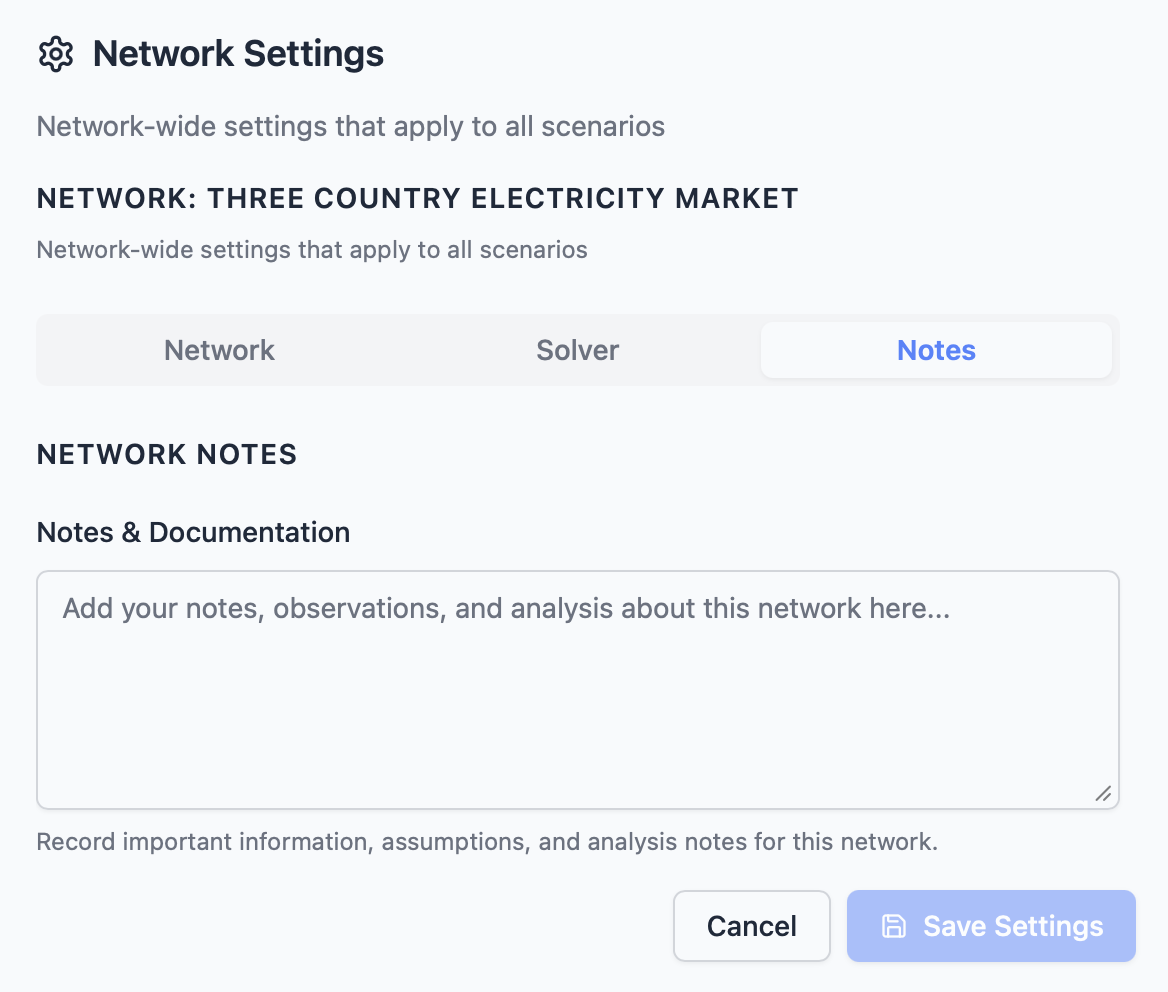
The notes section allows you to add instructions, comments or observations for any specific model. This serves as a generic README for a model.