

Edit time axis
The ability to resample a model's time axis is a key requirement for energy system modelers. For example, you might have a model at hourly resolution, which you may want to resample to daily resolution for testing. Or you might have a model that runs across many years (e.g., 2020-2050) and you might want to slice it to extract a specific year, such as 2030. Convexity's time axis editor enables this functionality.
To access the time axis editor, right-click on any network in the Networks Viewer as shown below:
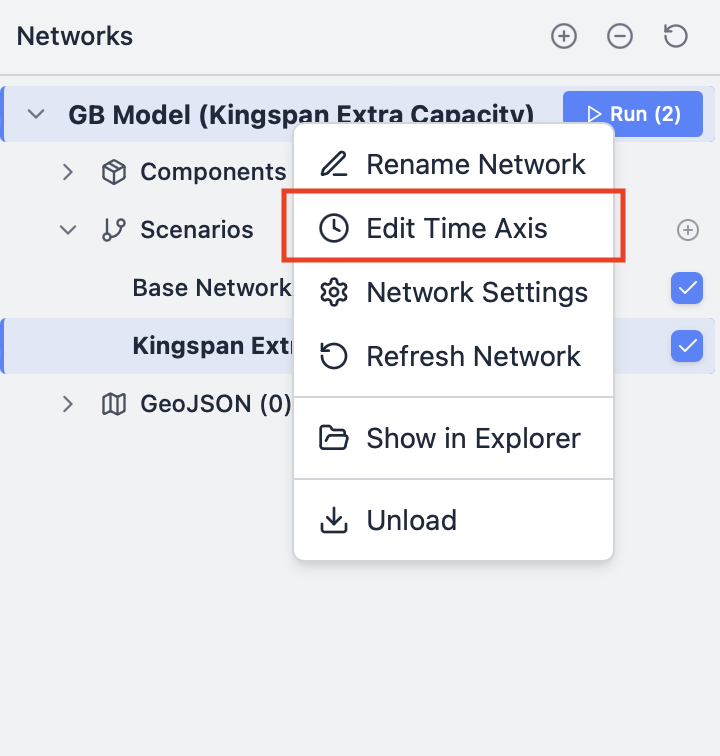
This opens the Edit Time Axis dialog as a popup (shown below). In this window, you will see options to edit the start and end date, as well as change the time resolution of the model. At the bottom of the popup, you can give your resampled network a filename and define a path where you want to save it. Your resampled network is saved as a new file so that your original network is not overwritten.
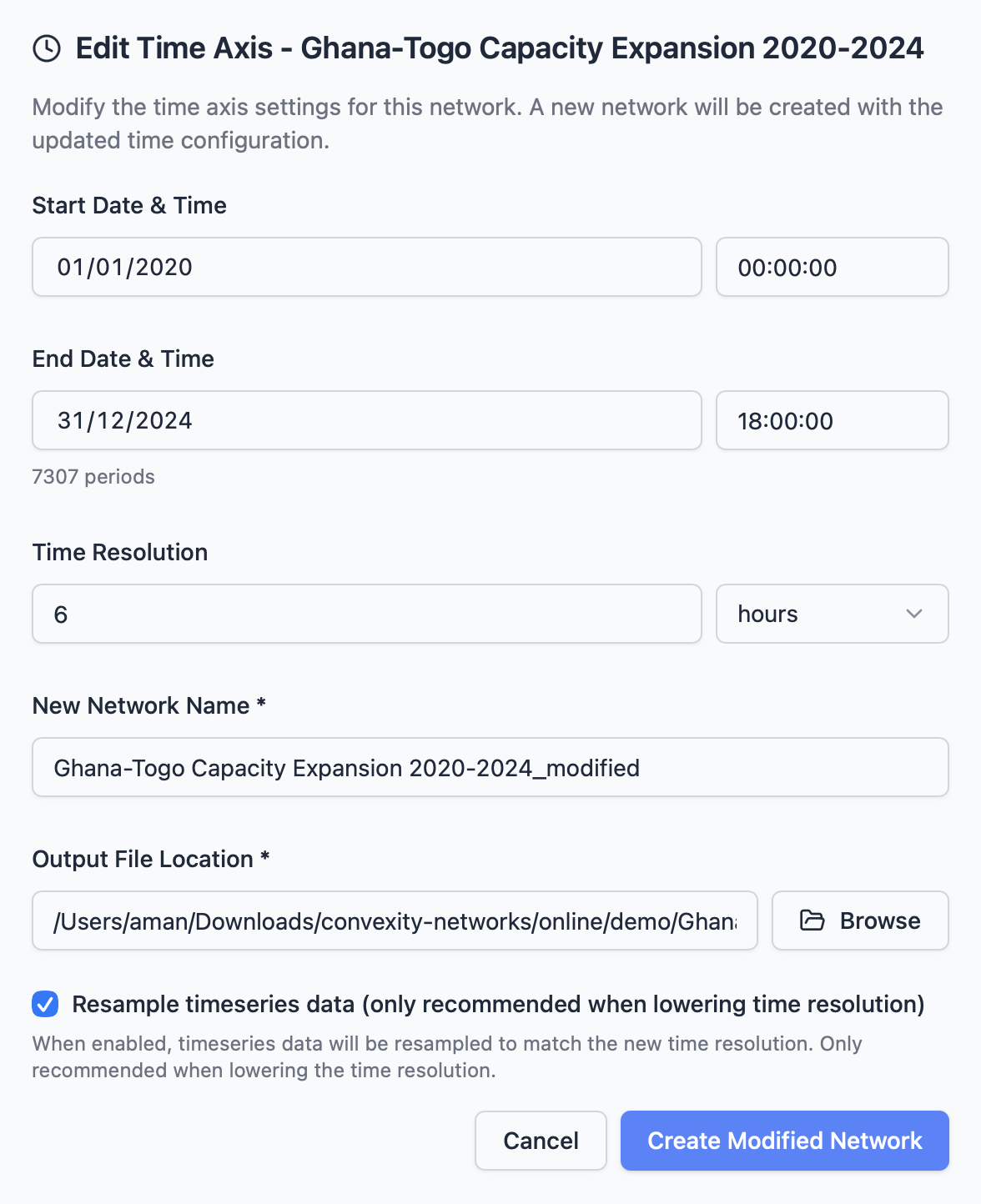
Change the start and end date of the model
To change the start and end date of your model, simply select the desired start and end dates in the date picker fields at the top of the dialog. This is useful if you have a multi-year model and want to extract a slice of it. For example, if your model spans 2020-2050, you can select dates to extract just the year 2030, or any other date range within the original model's timeframe.
Resampling the time-resolution of the model
To change the time resolution of your model (e.g., from 1 hour to 4 hours), use the time resolution selector in the dialog and leave the start and end dates unchanged.
Note
You can only downsample the model (reduce resolution), not upsample it (increase resolution). For example, you can resample from 1 hour to 4 hours, but you cannot resample from 4 hours to 1 hour. This is why you should always create your model at the highest resolution you might need when starting a new model.
Combining both operations
You can perform both operations simultaneously—changing the start/end dates and downsampling the time resolution—in a single operation. Simply set your desired date range and select your target time resolution, then save the resampled network as a new file.