

Editor
The Editor is available in the central panel of Convexity. This is a full-featured text editor with syntax highlighting that makes it convenient to work with text-based files directly inside Convexity.
The Editor is particularly useful when building Convexity models using the pyconvexity Python package. You can write and edit your Python code directly in the editor, run it via the Terminal, and open files via the Directory Viewer in one seamless workflow.
Opening Files
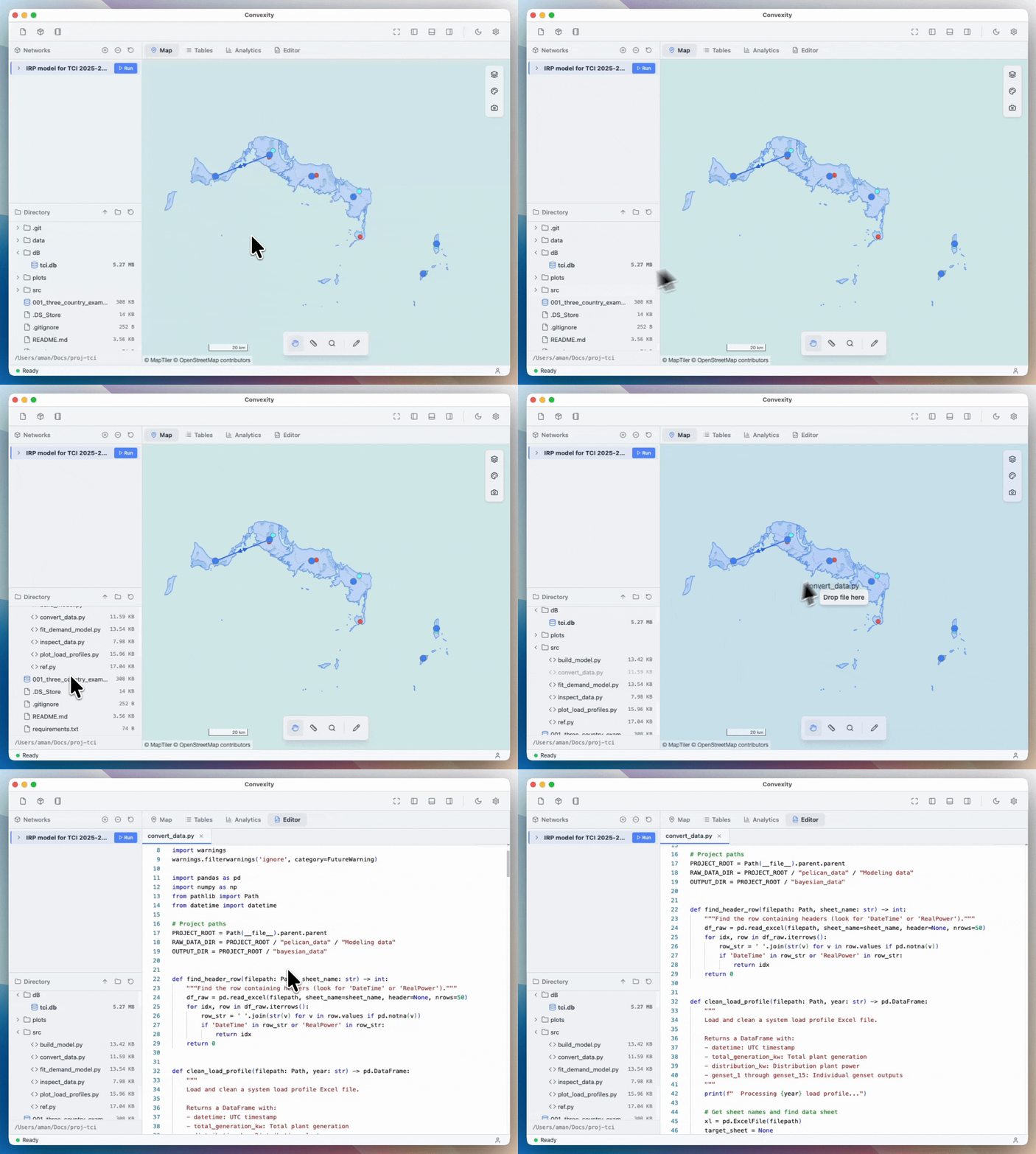
To open a file, you can simply drag it onto the central canvas from the Directory Viewer as shown below:
Managing Multiple Files
You can open as many files as you want simultaneously and close them individually when needed. Each open file appears as a tab in the editor, making it easy to switch between files.
Unsaved Changes
When you make edits to a file, the close icon (×) on the file tab will change to a circle indicator (○), indicating that the file has unsaved changes. To save your changes, press Cmd+S (macOS) or Ctrl+S (Windows/Linux).