

Custom constraints
For certain advanced use cases, you may need to implement custom constraints to simulate bespoke real-world scenarios or operational rules. These can include things such as:
- Policy requirements: Enforce specific renewable energy targets or emissions reduction trajectories
- Regional rules: Implement cross-border trading limits or local self-sufficiency requirements
- Investment planning: Add phased capacity deployment schedules or technology-specific growth limits
- Operational control curves: Highly specific asset protocols that cannot be represented using the existing fundamental equations within Convexity
While Convexity is generally accessible to no-code users, implementing custom constraints requires interacting with the underlying model object in Linopy, meaning users have to set custom constraints using python code.
How it works
Convexity is built on top of PyPSA and Linopy. When you run an optimisation in Convexity, we create a mathematical model that includes: decision variables, constraints and objectives. The custom constraints feature allows you to add your own constraints that are appended to your Linopy object before it is sent to the solver.
To use custom constraints effectively, you will need to have a basic knowledge of python (specifically xarray) and fundamental knowledge of linear programming concepts. It would help substantially to familiarise yourself with Linopy. You can also find links to example constraints below.
Getting started
First, create a model or open an existing one. Then navigate to the Tables tab and select the Constraints option in the dropdown as shown below.
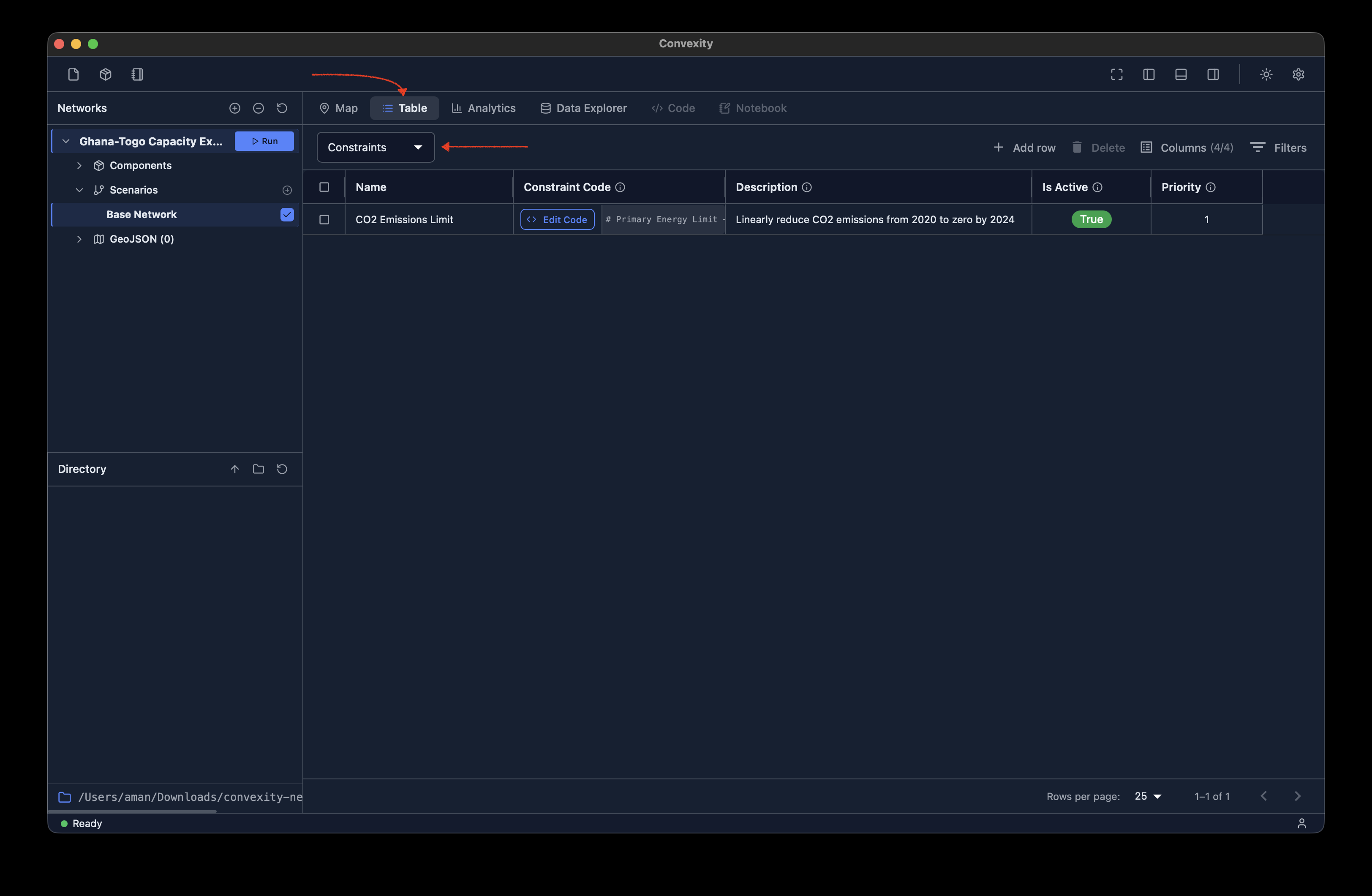
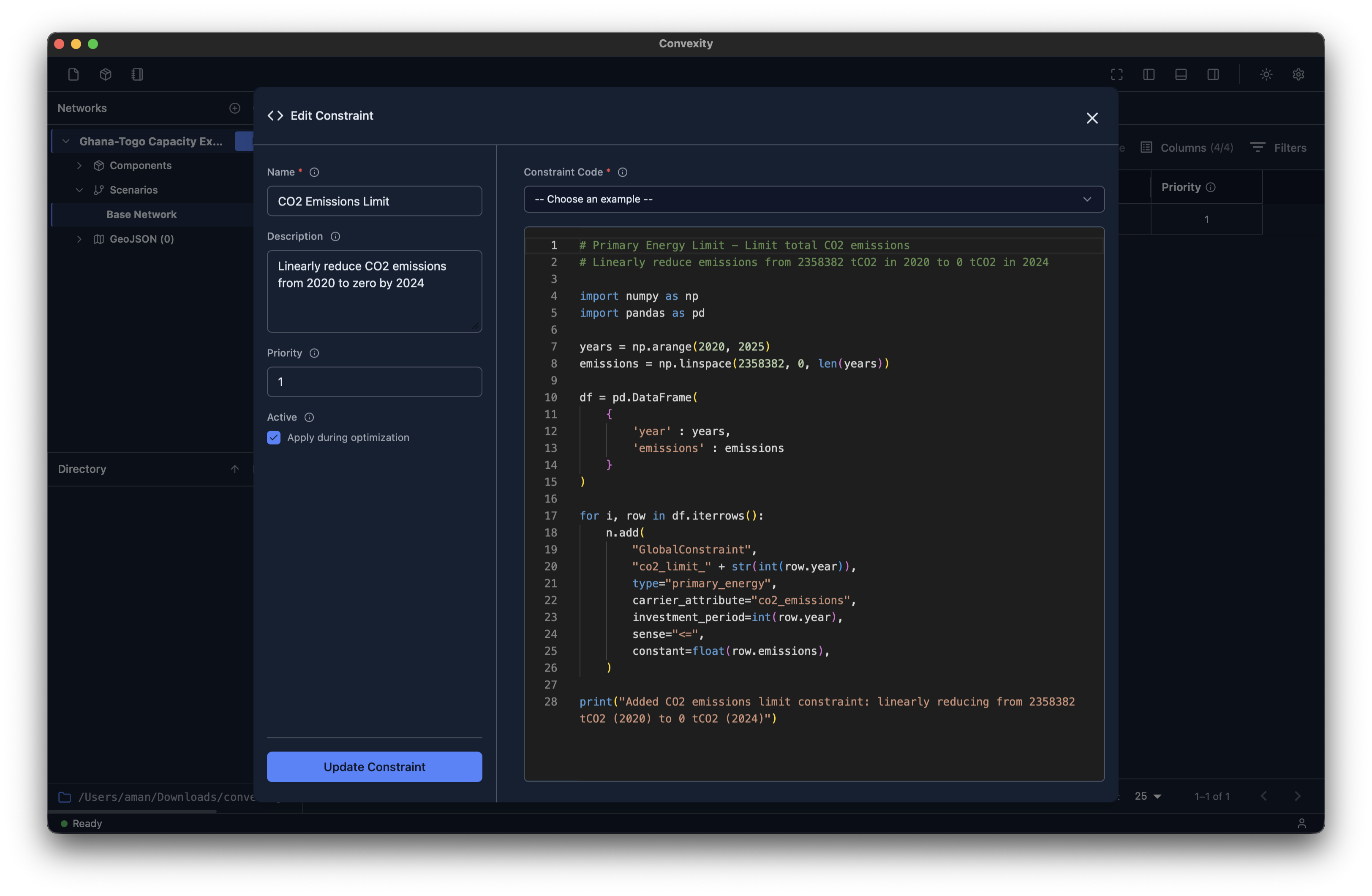
As shown, there are five columns in the constraints table: name, constraint code, description, active, and priority. The name and description fields are self-explanatory, but here's what the others mean:
- Constraint code: This is where you write the specific code for your constraint. If you click
Edit Code, it will launch a modal showing a text editor with fullpythonsyntax highlighting to help you write code cleanly and effectively. - Active: A boolean field that allows you to easily turn constraints on or off. This is particularly useful when working with multiple scenarios, as you can have constraints enabled in one scenario but not another.
- Priority: Sets the order in which constraints are applied when your model is built. The sequence can matter in some cases.
Examples
We provide several working examples to get you started. Each example demonstrates a common use case with fully documented code. Browse the table below to find one that matches your needs, then adapt it to your specific scenario.
| Example | Description |
|---|---|
| Emissions limits (single year) | Cap the total GHG emissions for a single investment period |
| Emissions limits (multiple years) | Cap the total GHG emissions across multiple years for pathway planning |
| Linear capacity ramp | Gradually increase capacity share for a specific carrier (e.g., nuclear, solar, wind) |
| Minimum generation share | Ensure minimum dispatch share for specific technologies or carriers |
| No new gas after cutoff year | Prevent new gas generators from being built after a specified cutoff year |
| Regional self-sufficiency | Implement regional energy independence or cross-border trading constraints |
Learn more
- Linopy Documentation - Learn the optimization library syntax
- PyPSA Documentation - Understand the underlying energy model
- Our example constraints - Copy, modify, and use in your own models
Need help?
We understand that operational constraints can be highly specific to your use case. If you're unsure how to get started or need assistance implementing a custom constraint, please contact us and we'll do our best to support you.